
InstaFly AI Assistant: Get Your Instagram Work Done by Chatting
With the InstaFly AI Assistant you can get following, liking, commenting, story viewing and DM tasks done with a single sentence. Write what you want on Instagram and let the assistant do the rest.
InstaFly has dozens of tools: follow tools, bulk likes, comments, story viewing, direct messages, post sharing... Knowing which tool does which job and entering its settings one by one takes time. The AI Assistant does that for you. You describe what you want in a plain sentence; the assistant plans the job, runs the right tools and reports the result to you with real numbers. As far as we know, no other program lets you get Instagram work done just by chatting, with an assistant that picks and runs the tools itself.
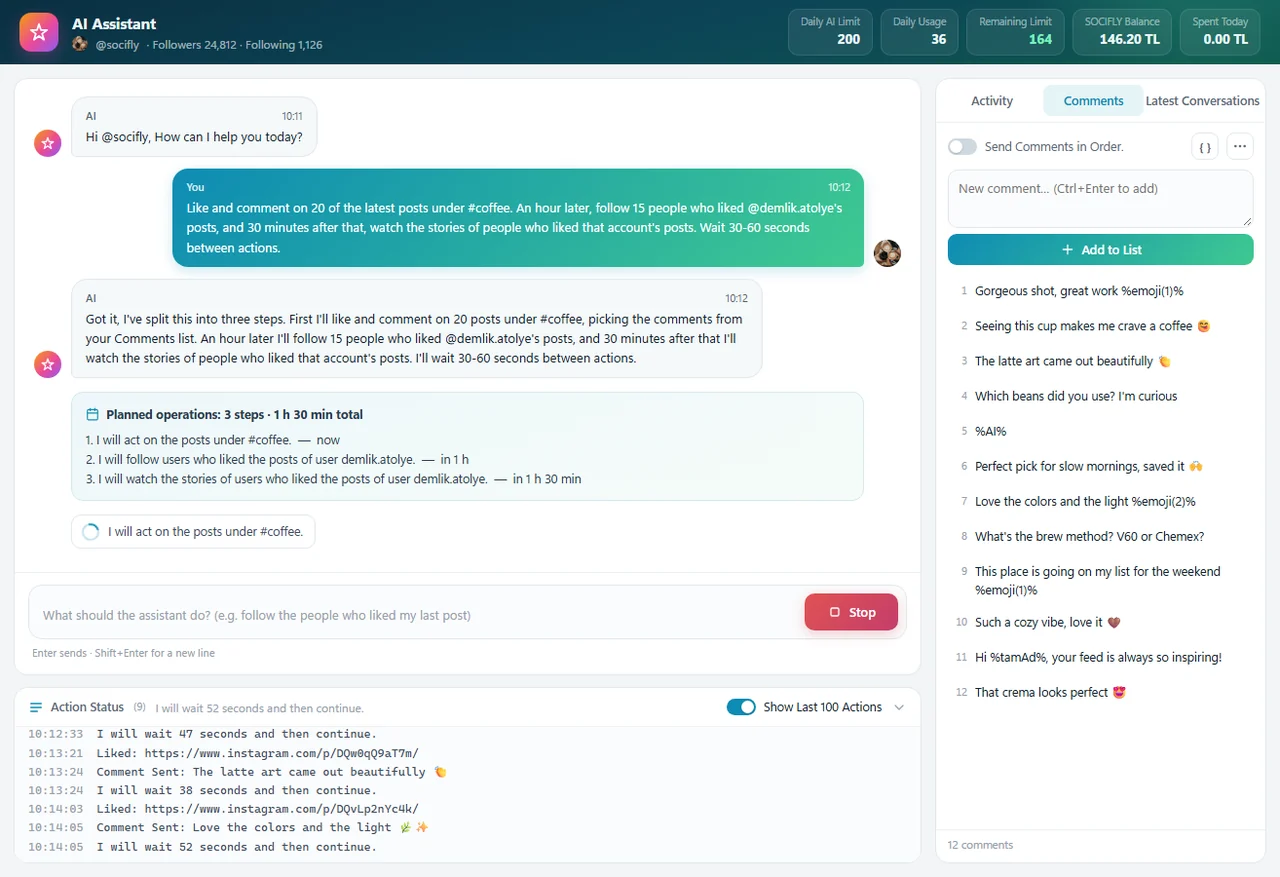
How Does the AI Assistant Work?
Type what you want to do and press Send. For example: Follow the people who liked my last post.
The assistant briefly says what it will do. For multi-step jobs, the Planned operations block shows when each step will start.
The tools run one after another. Each action moves forward as a single line in the chat and ends as done, partial, error or cancelled.
When the job is finished, the assistant writes a short summary with the real numbers of what was done.
If you want to stop the job halfway, just press the Stop button.
What Can the Assistant Do?
The assistant can use most of InstaFly's tools on your behalf:
- Follows an account's followers or the accounts it follows.
- Follows the people who liked or commented on an account's latest posts.
- Follows the people who liked or commented on a post link.
- Follows the owners of hashtag, location and Explore posts.
- Unfollows the accounts you follow and removes followers from your account.
- Likes, comments on, or both likes and comments on an account's latest posts.
- Likes and comments on posts in your home feed.
- Likes and comments on hashtag, location and Explore posts.
- Watches the stories in your home feed.
- Watches the stories of people who liked or commented on an account's posts.
- Sends DMs to an account's followers or the accounts it follows. So the messages aren't all identical, the assistant prepares at least 5 different message variations.
- Browses places like Home, Explore, Reels, Hashtags and Profiles for as long as you say.
- If you want, it also does a set number of follows, likes and comments along the way.
- Shares a random post from a folder on your computer, and to your story too if you want.
- Deletes or archives your own posts.
- Approves or declines incoming follow requests and withdraws your requests that weren't accepted.
- Removes your past likes and removes posts from your saved items.
Lists
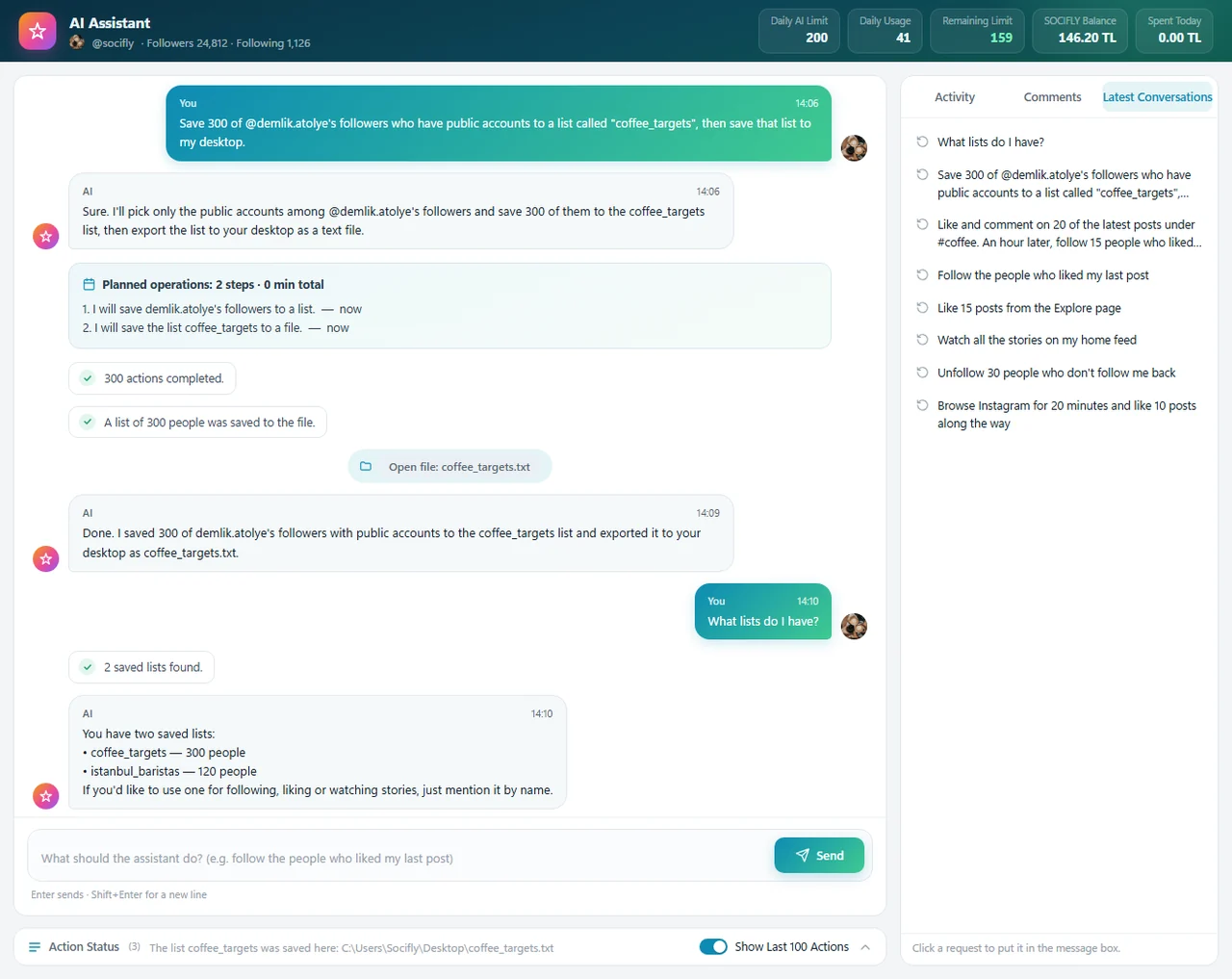
The assistant saves an account's followers or the accounts it follows to a list with a name you choose. You can later use that list for jobs like following and liking, or export it to your desktop as a .txt file. When you ask What lists do I have?, it tells you your saved lists along with how many people are in each.
What Should You Write to the Assistant?
You can write to the assistant the way you would give a task to a person. A few examples:
- Follow the people who liked my last post
- Like 20 of the latest posts under #coffee and comment on 5 of them
- Unfollow the people who don't follow me back
- Save @account's followers to a list called 'targets'
- Follow the users in the targets list
- Watch all the stories on my home feed
The more detail you give, the closer the result will be to what you want:
- Number: follow 20 people, like 10 posts. If you don't give a number, most jobs do 10 actions.
- Target: @account's followers, #hashtag, a location or Explore.
- Filter: only women, skip private accounts, people who don't follow me, business accounts.
- Waiting: wait 30-60 seconds between actions, rest 2 minutes every 10 actions.
The assistant picks any details you leave out. To stay within Instagram's limits, it also adds waits on its own when needed.
Spread Jobs Over Hours and Days
You don't have to tell the assistant to do everything right now. You can spread jobs over time:
- Do this, do that in 1 hour, and do this other thing in 2 hours
- Repeat this once an hour for 24 hours
For example, imagine you write a request like this:
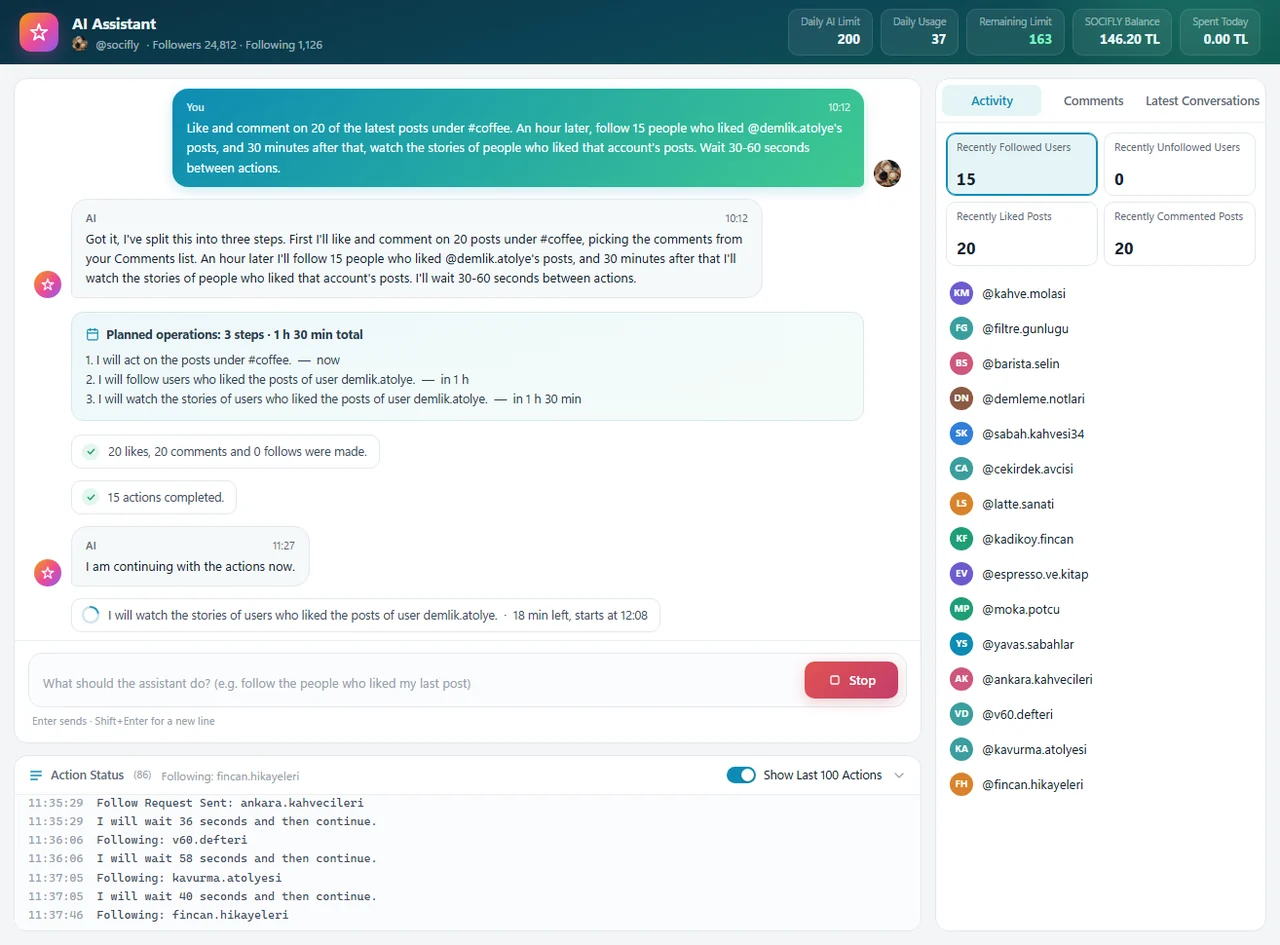
The assistant splits this request into three steps: first it likes and comments on #coffee posts, an hour later it does the follows, and 1 hour 30 minutes later it watches the stories. With one sentence you've planned a job that would normally take three separate tools.
For requests like this, a Planned operations block appears in the chat. Next to each step you see when it starts, such as now, in 1 h or in 1 h 30 min. While waiting, the chat shows how long is left until the next step.
If the program closes unexpectedly (your computer restarts, the power goes out), the plan isn't lost. When you log in with the same account and open the assistant, you're asked about the unfinished plan and the remaining steps continue from where they left off.
It Asks You First Before Risky Actions
For actions that are hard to undo, the assistant opens a confirmation window before it starts and tells you exactly what will be done. For example, it asks:
- how many people will be unfollowed, before unfollowing accounts you follow,
- whether you want to delete or archive, before removing your posts,
- whether you want to approve or decline, for incoming follow requests.
If you don't confirm, or don't answer within 120 seconds, the action is not carried out. That way a misunderstood request can never do something irreversible to your account.
What's in the Assistant Window?
- Top bar: your account's follower and following counts, plus the Daily AI Limit, Daily Usage, Remaining Limit, Balance and Spent Today boxes.
- Chat: where you write your requests and watch the actions progress live.
- Action Status: timestamped records of every action.
- Activity: the people and posts recently followed, unfollowed, liked and commented on. Click a row to open that profile or post.
- Comments: the comment list the assistant picks from when commenting. You can use variables such as
%kullaniciAdi%and%emoji(3)%and spintax in comments. If you write%AI%, the comment is written by AI based on the post. - Latest Conversations: your previous requests. Click one to put it in the message box, so you don't have to type the same request again.
Daily AI Limit and Balance
Requests you send to the assistant are deducted from your license's daily AI limit. A typical request uses two credits: first the assistant plans the job and runs the tools, then it writes the summary with real numbers. A request can use at most 4 credits. Running tools like following and liking doesn't use extra credits. Once your daily limit runs out, requests are charged to your balance. You can always see your remaining credits and balance in the top bar of the window.
How to Use It
- Log in to InstaFly with your Instagram account.
- Open the AI Assistant from the card on the main screen, or press the Ctrl+Y shortcut.
- If you want it to comment, add a few comments in the Comments tab on the right.
- Type your request in the message box and press Send. Enter also sends, and Shift+Enter starts a new line.
- Follow the assistant's plan and action lines in the chat. If a confirmation window appears, check it and confirm.
- When the job is done, check the assistant's summary and the Activity tab on the right.
A separate assistant window opens for each account. The window title shows which account you're on.
Why the InstaFly AI Assistant?
- You don't need to know which tool to open or which setting to enter; just write what you want.
- It plans multi-step jobs from a single sentence and spreads them over hours and days.
- It asks you first before risky actions and does nothing without your approval.
- Even if the program closes, it continues an unfinished plan from where it left off.
- It reports every action with real numbers, so you always see what was done.
At InstaFly, our goal is to reduce the tasks that cost you the most time on Instagram to a single sentence. Open the AI Assistant, write your first request and share the results with us. If there are new jobs you'd like the assistant to handle, be sure to tell us in the comments. InstaFly grows thanks to you. ❤️